1qqq bd App —
Play Casino & Bet on Cricket From Your Phone
The 1qqq bd app brings slots, fishing games, Aviator crash, live casino, and sports betting to your Android handset. Free to download, works on Android 8.0 and above. Deposit with bKash or Nagad and start playing in minutes.
Version Details & System Requirements
Before you download, check your phone meets the minimum requirements. The 1qqq bd app is a lightweight package — most Android phones from 2019 onwards handle it without any issues.
| Detail | Value | Notes |
|---|---|---|
| App Version | 2.5.8 | Current stable release |
| File Size | 32 MB | Download takes under 2 min on mobile data |
| Minimum Android | Android 8.0 (Oreo) | Android 10+ recommended for best performance |
| Last Updated | 5 November 2026 | Updates are released through the app itself |
| Price | Free | No cost to download or install |
| Platform | Android APK | Not available on Google Play Store — download directly from this page |
| iOS | Web App | Use Safari and "Add to Home Screen" — full-screen experience |
| Languages | English / Bangla | Switch in app Settings menu |
The APK is not on Google Play because online gambling apps are not permitted in that store. The file you download from this page is the official 1qqq bd build — always download from 1qqqbd.cam.
App vs Browser — What Changes Day-to-Day
Both the 1qqq bd app and the mobile browser site give you the full game library. The app adds a few practical advantages that matter most if you play regularly on your phone — especially on match nights or during the commute.
| Feature | 1qqq bd App | Mobile Browser |
|---|---|---|
| All casino games | Yes | Yes |
| Sports & cricket betting | Yes | Yes |
| Push notifications for match odds & bonuses | Yes | No |
| Stay logged in between sessions | Yes — auto login | Session expires |
| Faster load times on slow mobile data | Yes — cached assets | Full reload each time |
| Deposit via bKash / Nagad | Yes | Yes |
| Live chat support in-app | Yes | Yes |
| Works on iOS | No (use browser) | Yes |
| Fingerprint / PIN quick login | Yes | No |
| Live score widget during betting | Yes | No |
If you use an iPhone or iPad, the browser version at 1qqqbd.cam is fully responsive. Follow the iOS steps below to add it to your home screen for a near-app experience.
Safe to Install — What the App Asks For
The 1qqq bd app requests only the permissions it genuinely needs. No access to your contacts, photos, or location. Here is what each permission does and why it is there.
APK Source & Integrity
The APK hosted on 1qqqbd.cam/download/1qqqbd.apk is the only official build. Each release is signed with our developer certificate. If you download from a third-party site, the signature will not match and Android will block the install. Always come back to this page for updates — do not use Telegram or unofficial mirror links.
Internet Access
Required to load games, process deposits, and reach live chat. The app connects only to 1qqqbd.cam and our licensed payment gateways (bKash, Nagad, Rocket, Upay). No data is shared with advertising networks or analytics platforms outside of our own systems.
Push Notifications
Optional permission. Notifications are used to alert you about deposit confirmations, withdrawal status, and live match odds. You can disable them at any time in Android Settings › Apps › 1qqq bd › Notifications. Turning them off does not affect gameplay or account access.
Biometric / Device Auth
If your phone supports fingerprint or face unlock, the app can use it for quick login. This feature uses Android's built-in Biometric API — your fingerprint data never leaves your device and is not sent to our servers. You can skip biometric setup and use your password instead at any time.
What You Can Play in the 1qqq bd App
The app covers every game category available on the full site. All titles from providers like FA Chai, Pragmatic Play, JILI, and Ezugi load directly inside the app — no browser tab switching needed.
Slots
Spin titles like Midas Fortune (Pragmatic Play), Slide (FA Chai), Crazy 777 (JILI), Monster Hi-Lo (JDB), and Jurassic Kingdom. Each game loads in full-screen portrait mode on Android. Min bet from ৳1 — good for short sessions on the go.
Live Casino
Join real-dealer tables for Roulette, Baccarat, and Dragon Tiger from Ezugi and Sexy Gaming. The live stream quality adjusts automatically to your mobile data speed — works on a standard 4G connection without buffering in most parts of Bangladesh.
Aviator & Crash Games
Play Aviator and other crash-style games with the in-app live multiplier feed and auto-cashout controls. The app keeps the connection stable so the multiplier display stays in sync — missing your cashout point due to a reload delay is far less likely than in a browser tab. See the Aviator guide.
Teen Patti & Card Games
Teen Patti 20-20 from FA Chai (RTP 97.4%) runs smoothly on the app with a touch-friendly betting interface. Raise, fold, and check with single taps. Portrait and landscape both work — landscape gives a wider table view if you prefer. Teen Patti tips here.
Fishing Games
King of Fishing (FA Chai, RTP 97.5%), Treasure Boat Fishing, Fierce Fishing, and Caishen Fishing all use touch-aim controls that feel native on Android. Tap to fire, swipe to aim. The joystick-style controls in King of Fishing work best in landscape mode on screens 6 inches or larger.
Sports & Cricket Betting
Follow BPL, IPL, T20 World Cup, and ODI series with live odds updating inside the app. Place pre-match or in-play bets on 1X2, over/under, and player performance markets. The live score widget sits alongside your open bet slip so you can track the match without switching screens.
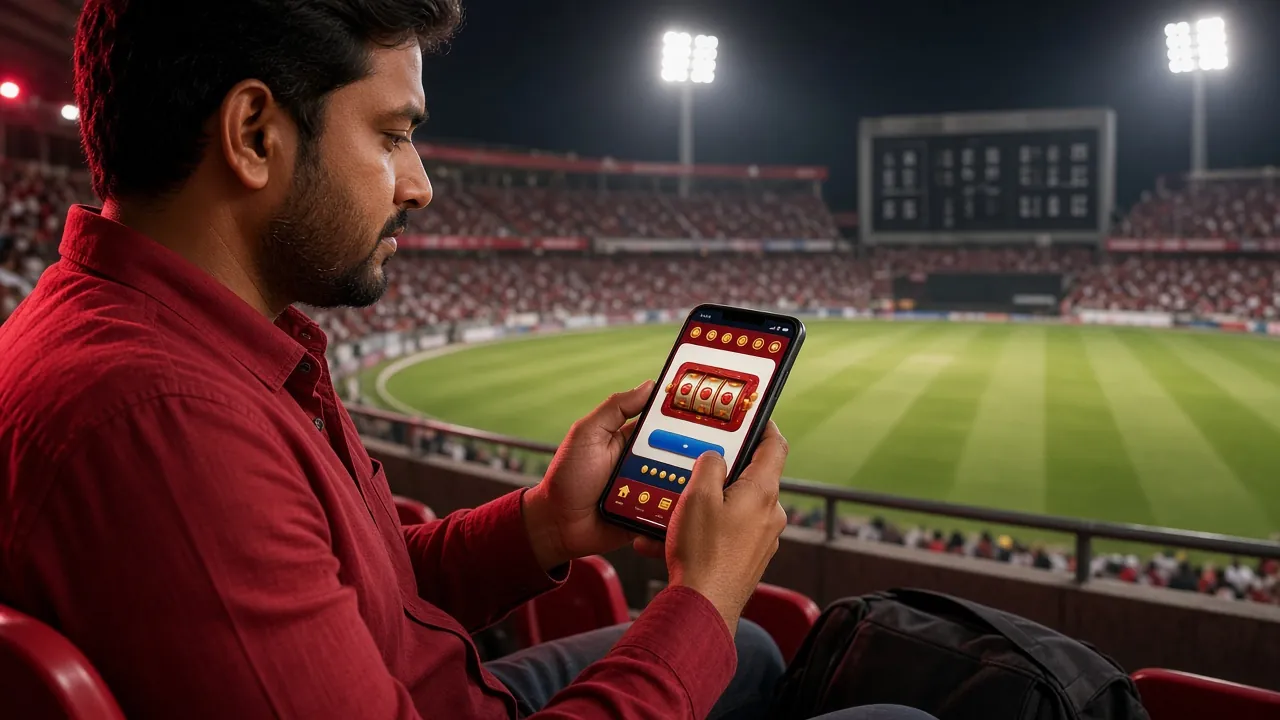
Everything in One Place
- Fast deposits from ৳150 — bKash and Nagad transfers clear in about 4 minutes. No processing fee from our side.
- Bonuses accessible in-app — claim your first deposit bonus (up to ৳25,000) and check VIP cashback directly from the Promotions tab.
- 24/7 live chat built in — tap the chat icon in the bottom menu at any time. Average first response under 2 minutes.
- Self-updating — the app checks for new versions on launch and prompts you to update with a single tap. No need to revisit this page each time.
How to Install the 1qqq bd APK on Android
Android blocks APK files from outside the Play Store by default. You need to allow installs from unknown sources — this is a one-time setting and you can turn it off again after installing. The whole process takes around three minutes.
-
1
Allow Unknown Sources
Open Android Settings › Security (some phones call it Privacy or Special app access). Find "Install unknown apps" and enable it for your browser or file manager. On Android 10 and later, this prompt appears automatically when you tap the downloaded file — you do not need to hunt through settings in advance. You can disable this permission again after the install finishes.
-
2
Download the APK File
Tap the "Download APK" button on this page. Your browser will save 1qqqbd.apk (32 MB) to your Downloads folder. If you are on a slow connection, wait for the download to finish completely before opening the file — a partial APK will fail to install. Check the file size is 32 MB to confirm the download is complete.
-
3
Open the File and Confirm
Tap the notification in your status bar or open your Downloads folder and tap 1qqqbd.apk. Android will show you a permissions summary screen. Review it and tap Install. The install takes about 20–30 seconds. If you see a "Package installer" warning about the developer, it is safe to proceed — the APK is signed by 1qqq bd and matches the file you downloaded from 1qqqbd.cam.
-
4
Open the App and Log In
Once installed, the 1qqq bd icon appears on your home screen or app drawer. Tap to open. If you already have an account, enter your username and password — or use fingerprint login if you set it up. New players should tap Register to create an account — it takes under two minutes. After registration you can claim the first deposit bonus through the Promotions tab.
-
5
Make Your First Deposit
Tap Deposit in the app menu. Select bKash, Nagad, Rocket, or Upay. The minimum deposit is ৳150. Enter the amount and follow the in-app payment flow — it redirects to your mobile banking app and returns automatically after payment confirmation. Most deposits clear in about 4 minutes. Your account balance updates in real time. See the deposit guide for a step-by-step walkthrough.
iPhone & iPad — Add to Home Screen
Apple does not allow third-party APK installs on iOS. The 1qqq bd website is a full progressive web app, so you can pin it to your iPhone home screen and use it like a native app — full screen, no address bar.
-
1
Open Safari on Your iPhone
Go to 1qqqbd.cam in Safari. The site must be opened in Safari specifically — Chrome and Firefox on iOS do not support the "Add to Home Screen" option.
-
2
Tap the Share Button
Tap the Share icon at the bottom of the Safari screen (a box with an upward arrow). Scroll down the share sheet to find "Add to Home Screen".
-
3
Confirm the Name and Add
The name will default to "1qqq bd" — keep it or rename it. Tap Add in the top-right corner. The icon appears on your home screen immediately.
-
4
Open From the Home Screen
Tap the new icon. The site opens full-screen without the Safari toolbar — it looks and feels like an app. Log in or register, then deposit and play as normal.
Get the 1qqq bd App Now
Free download for Android. Under 32 MB. Works on Android 8.0 and above.
Download 1qqqbd.apkFeatured Games Available in the App
These titles are some of the most-played games through the 1qqq bd app. All are available immediately after you log in — no additional download required.
Min ৳10 · Max ৳5,000. Touch-aim controls, boss fish multipliers.

Min ৳1 · Max ৳5,000. Gold-theme slot with free-spin feature.
Min ৳5 · Max ৳5,000. Fast-deal card game optimised for touch.
Auto cashout, live feed. Stays stable on mobile data.
Min ৳10 · Max ৳20,000. Multi-cannon boat battle stage.
Min ৳5 · Max ৳5,000. Fast bingo rounds with animated draws.
Install Not Working? Check This First
Most APK install problems come down to one of five things. Find your error below and follow the fix — most are resolved in under a minute.
| Problem | Likely Cause | Fix |
|---|---|---|
| "Install blocked" message | Unknown sources permission is off for the browser or file manager you used to open the file. Android 8+ applies this permission per-app, not globally. | Go to Settings › Special app access › Install unknown apps, find your browser (e.g. Chrome, Firefox), and toggle it on. Then tap the APK file again. |
| "Package not installed" or "Parse error" | The APK file is incomplete — the download was interrupted before it finished, or the file was corrupted during transfer. | Delete the file from your Downloads folder and download again from this page. Check the saved file is 32 MB before opening it. Use Wi-Fi if your mobile data drops frequently. |
| "App not installed — existing package conflict" | An older version of the 1qqq bd app is already on your phone, and the signatures do not match (this happens if the old version came from an unofficial source). | Uninstall the existing 1qqq bd app from Settings › Apps, then install the fresh APK from this page. Your account data is stored on our servers, not the app — nothing is lost. |
| App installs but crashes on open | Your Android version is below 8.0, or the phone has less than 1 GB of free RAM available at launch. | Check your Android version in Settings › About phone. If below 8.0, use the mobile browser version at 1qqqbd.cam instead. If the version is fine, restart the phone and try opening the app again with other apps closed. |
| Games load slowly or freeze mid-session | Weak mobile signal, background apps consuming RAM, or browser cache conflict if the app was updated over an old cached version. | Switch to Wi-Fi or move to a stronger signal area. Close background apps before launching a game. If it started after an update, go to Settings › Apps › 1qqq bd › Storage › Clear cache, then relaunch. Contact live chat if the issue continues — available 24/7. |
Still stuck? Open live chat inside the app or email [email protected] with your phone model and Android version. The support team is online 24/7.
Questions About the 1qqq bd App
Answers to the questions players ask most often before and after downloading the app.